
Blur Image Online — Free Photo Blur Tool
Blur images online instantly with our free photo blur tool — no signup needed. Adjust blur intensity for background blur, blur image online for privacy protection, or add artistic depth-of-field effects. Fast, browser-based processing — your images never leave your device.
Drop your image here to blur
or click to browse from your computer
Support: JPG, PNG, WEBP (Paste with Ctrl+V)
Blur Image Online - Free Image Blur Tool
Our blur image tool is the best image blur tool online to blur picturewith precise Gaussian blur control. Blur photo instantly for privacy, artistic effects, and blur imagesfor professional editing. Perfect blur effect for masking sensitive content and creative photo editing.
Precise Blur Control
Blur image with exact control from 0-20px. Our image blur toollets you fine-tune blur intensity to blur photo perfectly for any purpose.
Privacy Protection
Blur picture faces, personal information, or sensitive content. Our blur effect tool helps you blur images online for privacy and security in social media posts.
Real-Time Preview
See changes instantly as you blur image online. Our image blurershows real-time preview while you adjust blur photo intensity levels.
Secure & Private
Blur photo online with complete privacy. All processing happens in your browser - we never upload or store your images when you blur pictures.
High Quality Output
Blur images without quality loss. Our image blur toolpreserves original resolution when you blur an image for professional results.
Works Everywhere
Blur image free on any device. Our image blur online tool works on desktop, tablet, and mobile to blur pic anywhere, anytime.
Why Use Our Image Blur Tool?
Perfect for privacy protection, artistic effects, and professional editing. After blurring, try our pixelate image tool for additional privacy layers, or explore our color inverter for creative effects.
- ✓Blur image with precise 0-20px Gaussian blur control
- ✓Real-time preview while you blur photo
- ✓No watermarks on your blurred images
- ✓Support for JPG, PNG, WEBP to blur images online
- ✓Free image blur tool with unlimited usage
- ✓Perfect blur effect for privacy and artistic projects
Precise Blur Control for Privacy & Artistic Effects
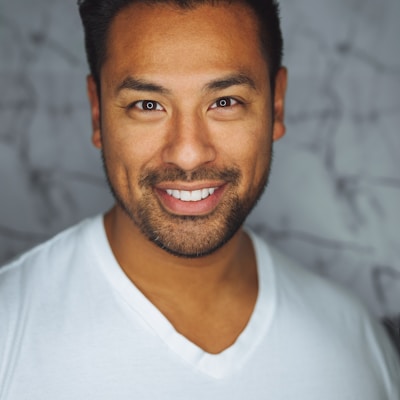
Perfect for Privacy & Sensitive Content
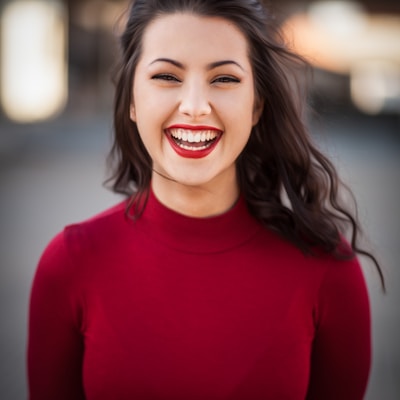
Real-Time Preview & Easy Controls

Professional Results for Any Project
- Social media privacy protection
- NSFW content warnings and blurring
- Background blur for product photography
- Artistic bokeh and depth effects
- Document redaction and privacy masking
Frequently Asked Questions About Blur Image Tool
Learn how to blur image online, blur photos, and use our image blur tool effectively.
How to blur image online with this image blur tool?
Simply upload your photo to our blur image tool. Use the blur slider to adjust the blur effect intensity from 0px (no blur) to 20px (maximum blur). The image blur tool shows real-time preview as you blur picture. Perfect for blurring backgrounds, faces for privacy, or creating artistic blur effects.
What's the best blur amount for privacy protection?
For privacy protection when you blur photo faces or sensitive information, we recommend 10-15px blur radius. This ensures content is completely unrecognizable while maintaining a natural blur effect. Our image blur tool lets you experiment with different blur levels to find the perfect balance.
Can I blur picture in different image formats?
Yes! Our blur image online tool supports JPG, PNG, and WEBP formats. When you blur images, the original quality is preserved. PNG transparency is maintained when you blur photo with transparent backgrounds, making our image blur tool perfect for logos and graphics.
Is this blur image tool completely free to use?
Absolutely! You can blur image online free with no limitations. Our image blur tool has no watermarks, registration requirements, or hidden costs. Blur pictures, blur photos, and apply blur effect to unlimited images - completely free.
How secure is it to blur photo online with your tool?
Very secure! When you blur picture using our image blur tool, all processing happens in your browser. We don't store your blurred images on our servers. Your photos never leave your device, ensuring complete privacy when you blur image online for sensitive content.
What are common uses for the blur image tool?
Our image blur tool is perfect for: (1) Privacy - blur photo faces and personal information, (2) Artistic effects - create depth of field and bokeh effects, (3) Social media - blur picture backgrounds to highlight subjects, (4) NSFW content - blur image for content warnings, (5) Professional use - blur effect for presentations and watermarks.
Can I use blurred images for commercial purposes?
Yes! Once you blur image with our tool, you own all rights to the blurred photos. Use your blur picture results for business, social media, marketing, or any commercial project. Our image blur tool gives you full commercial usage rights.
Can I blur only part of my image instead of the whole photo?
This tool applies blur to the entire image. If you need to blur only a specific area — like a face, license plate, or private text — try our <a href='/censor-image' style='color:#fbbf24;text-decoration:underline'>censor image tool</a>. It lets you draw rectangles or ellipses over exact areas and apply blur, pixelate, solid color, or black bar effects selectively.
Blur Image Online Free - Start Now
Join thousands using our blur image tool to blur pictures and blur photos online. The best image blur tool for privacy protection, artistic blur effects, and professional photo editing instantly.
Also Try Our Other Image Tools
Explore our collection of free, easy-to-use image editing tools. No signup required, instant results!
Image Inverter
Invert colors for creative photo effects
Color Inverter
Reverse complementary colors in any image
Invert PNG Colors
Invert PNG while preserving transparency
Invert JPG Colors
Create photo negatives from any JPG image
Invert WebP Colors
Invert modern WebP images with alpha support
Invert Color (Hex)
Find the opposite of any hex color instantly
Flip Image
Mirror images horizontally or vertically
Embroidery Pattern Prep
Prepare patterns for tracing and transfers
Darken Image
Adjust brightness to create moody effects
Lighten Image
Brighten photos and enhance visibility
Image Brightness
Adjust photo brightness from -100 to +100
Image Saturation
Saturate or desaturate colors instantly
Split Image
Create grid splits for social media posts
Circle Crop
Create perfect circular images for avatars
Grayscale Image
Convert photos to beautiful grayscale
Black & White Filter
Apply professional B&W photo effects
Pixelate Image
Create pixel art and mosaic effects
Dither Image
Apply retro dithering with 2-64 color control
Sepia Filter
Add warm vintage sepia tones to photos
Negative Image
Create film-style photo negative effects
Film Negative to Positive
Restore positive photos from scanned film negatives
Dark Mode Image
Adapt screenshots and logos for dark backgrounds
Image Contrast
Adjust and increase photo contrast
Vignette Effect
Add edge shading with custom color control
Image Resolution Converter
Change image dimensions by exact pixels
Add Noise to Image
Apply grain and film noise with fine control
Posterize Image
Apply posterization effect with level control
Solarize Image
Create partial negative effects by threshold
Duotone Effect
Map shadows and highlights to two colors
Halftone Effect
Create print-style dot pattern images
Hue Changer
Shift image hue from -180° to +180°
Threshold Image
Convert to pure black & white by threshold
Color Swap Image
Replace specific colors with tolerance
Image Color Picker
Pick colors from any image pixel
Sharpen Image
Enhance photo clarity and fix soft focus
Emboss Image
Add raised or engraved relief effects