
Solarize Image Online Free - Solarize Effect & Photo Solarization
Use this free solarize image tool to create a threshold-based solarize effect. Flip only the bright tones, isolate red/green/blue channels, preview instantly, and export as PNG, JPG, or WebP.
Drop your image here to solarize
Upload JPG, PNG, or WebP and create a partial color inversion effect.
Supports JPG, PNG, WEBP. Paste an image with Ctrl+V.
What Is the Solarize Effect?
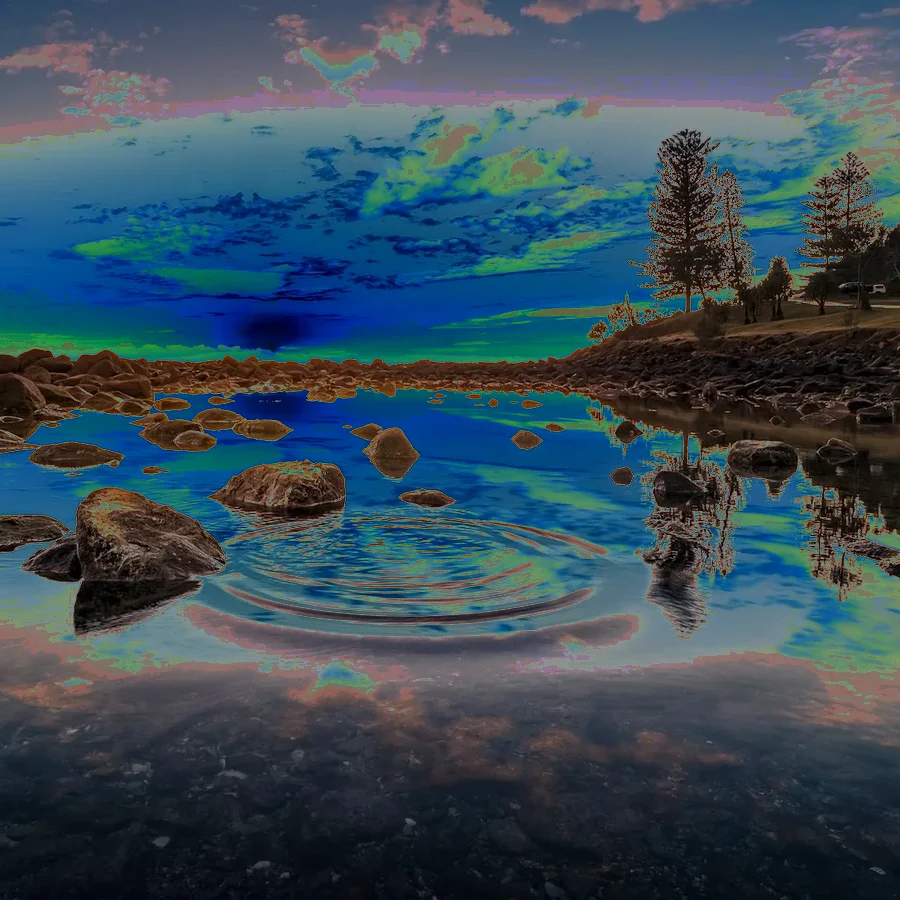
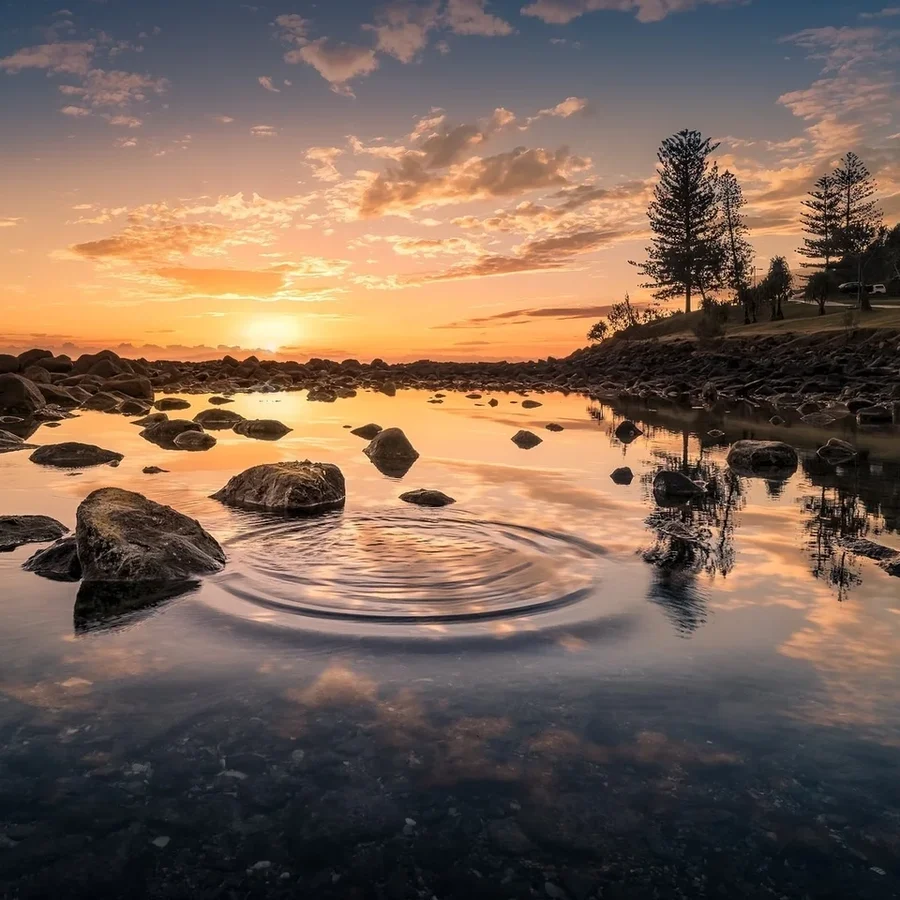
The solarize image effect is a partial color inversion. Instead of reversing every pixel, this tool inverts only tones above a chosen brightness threshold. The result is a surreal mix of normal detail and reversed highlights, similar to classic darkroom solarization and modern digital photo solarization.
Threshold-Based Inversion
Move the brightness threshold to control which tones flip. A low threshold inverts more of the photo; a high threshold keeps more of the original image intact.
Per-Channel Solarization
Solarize all RGB channels for a classic result, or isolate red, green, or blue for color-split effects that a normal full image inversion cannot create.
Solarize vs Invert
Full color inversion flips every pixel. Solarization is selective. For a complete full-image reversal, use the main image inverter.
Creative Photo Solarization
Use solarize effects for album art, experimental portraits, posters, social graphics, and retro darkroom styles without installing Photoshop.
Private Browser Processing
Your image is processed locally in the browser with Canvas API. Files are not uploaded to a server, and transparent PNG/WebP pixels keep their alpha channel.
PNG, JPG, and WebP Export
Download the solarized result as PNG, JPG, or WebP. For graphic tone workflows, pair it with posterize image.
When to Use a Solarize Filter
- +Create partial-negative photo effects without fully reversing the image
- +Turn bright skies, highlights, and reflections into surreal reversed tones
- +Use red-only, green-only, or blue-only solarization for color-channel experiments
- +Build retro poster, darkroom, and album-cover looks in a private browser workflow
Create Partial Negative Effects with Threshold Control
Use Per-Channel Solarization for Color-Split Looks


Blend Solarize Strength Without Leaving the Browser


Private Photo Solarization for Creative Workflows


Frequently Asked Questions About Solarize Image
Learn how photo solarization works, how to use a solarize filter, and how solarize differs from full image inversion.
How do I solarize an image online?
Upload a JPG, PNG, or WebP image, adjust the brightness threshold, choose all channels or a single color channel, and download the solarized result. Everything runs in your browser.
What is the solarize effect?
The solarize effect partially inverts an image based on brightness. Tones above a selected threshold are reversed, while darker tones remain closer to the original. This creates a surreal partial-negative look.
What is the difference between solarize and invert?
A full image inverter reverses every pixel. Solarize is selective: it only reverses tones above the brightness threshold. For full color reversal, use the main image inverter.
What threshold should I use for photo solarization?
Start around 128 for a balanced solarize effect. Lower thresholds invert more of the image for a stronger result. Higher thresholds affect mostly highlights.
Can I solarize only one color channel?
Yes. Choose Red Only, Green Only, or Blue Only to solarize one RGB channel while leaving the other channels unchanged. This creates color-split effects.
Does solarize preserve PNG transparency?
Yes. PNG and WebP alpha transparency is preserved. The solarize filter changes visible RGB values while leaving transparent pixels transparent.
Is this solarize filter free and private?
Yes. The tool is free, requires no signup, and processes your image locally in the browser. Your files are not uploaded to a server.
Solarize Image Online Free - Start Now
Create partial negative solarization effects with threshold and channel controls. Free browser-based editing with PNG, JPG, and WebP export.
Also Try Our Other Image Tools
Explore our collection of free, easy-to-use image editing tools. No signup required, instant results!
Image Inverter
Invert colors for creative photo effects
Color Inverter
Reverse complementary colors in any image
Invert PNG Colors
Invert PNG while preserving transparency
Invert JPG Colors
Create photo negatives from any JPG image
Invert WebP Colors
Invert modern WebP images with alpha support
Invert Color (Hex)
Find the opposite of any hex color instantly
Flip Image
Mirror images horizontally or vertically
Embroidery Pattern Prep
Prepare patterns for tracing and transfers
Darken Image
Adjust brightness to create moody effects
Lighten Image
Brighten photos and enhance visibility
Image Brightness
Adjust photo brightness from -100 to +100
Image Saturation
Saturate or desaturate colors instantly
Split Image
Create grid splits for social media posts
Circle Crop
Create perfect circular images for avatars
Grayscale Image
Convert photos to beautiful grayscale
Black & White Filter
Apply professional B&W photo effects
Blur Image
Add blur effects for privacy or style
Pixelate Image
Create pixel art and mosaic effects
Dither Image
Apply retro dithering with 2-64 color control
Sepia Filter
Add warm vintage sepia tones to photos
Negative Image
Create film-style photo negative effects
Film Negative to Positive
Restore positive photos from scanned film negatives
Dark Mode Image
Adapt screenshots and logos for dark backgrounds
Image Contrast
Adjust and increase photo contrast
Vignette Effect
Add edge shading with custom color control
Image Resolution Converter
Change image dimensions by exact pixels
Add Noise to Image
Apply grain and film noise with fine control
Posterize Image
Apply posterization effect with level control
Duotone Effect
Map shadows and highlights to two colors
Halftone Effect
Create print-style dot pattern images
Hue Changer
Shift image hue from -180° to +180°
Threshold Image
Convert to pure black & white by threshold
Color Swap Image
Replace specific colors with tolerance
Image Color Picker
Pick colors from any image pixel
Sharpen Image
Enhance photo clarity and fix soft focus
Emboss Image
Add raised or engraved relief effects