
Vignette Effect — Add Photo & Picture Vignette Online Free
Add a vignette effect to any vignette photo or picture vignette in seconds. This free vignette editor features adjustable center size, edge blend intensity, and custom color. Create portrait vignette focus, photography vignette framing, or a transparent vignette overlay with real-time preview, then export as PNG, JPG, or WEBP.
Drop your image here to add a vignette effect
or click to browse from your computer
Support: JPG, PNG, WEBP (Paste with Ctrl+V)
What Is Vignette Effect? Photo, Picture & Image Vignette Editor
Apply a vignette effect to any vignette photo, picture vignette, or image in seconds. This image vignette editor and vignette photo editor lets you control size, edge blend intensity, and color with real-time preview. Create subtle photography vignette shading, a strong vignette filter look, or a transparent vignette overlay for portrait vignette focus, product images, and cinematic vignette edit workflows. Part of the free picture inverter editing suite.
Natural Elliptical Falloff
The vignette adapts to photo aspect ratio, so landscape and portrait shots both get balanced edge shading.
Size + Strength Controls
Fine-tune clear center size and edge blend intensity with two sliders. Perfect for subtle polish or dramatic photo vignette effect styling.
Custom Vignette Color
Choose black, white, sepia, or any custom color. Unlike many tools, you are not limited to a fixed black vignette.
Instant Before/After Preview
Compare original and edited versions side by side while you adjust controls. No extra apply button needed.
Private Browser Processing
Every edit runs locally in Canvas on your device. Your images are not uploaded to a server for vignette processing.
PNG, JPG, and WEBP Export
Download high-quality output in your preferred format with quality control for JPG and WEBP.
Where Photo & Picture Vignette Works Best
- ✓Add portrait vignette focus by darkening edges and drawing attention to faces
- ✓Improve contrast perception for soft images after using image contrast
- ✓Create moody grading by pairing with darken image
- ✓Balance exposure workflows after global tweaks in image brightness
- ✓Pair with emboss image for a textured, cinematic frame effect
- ✓Export vignette overlay PNG with transparent vignette background for video compositing
- ✓Replicate natural camera vignette and lens vignette look digitally with full control
- ✓Use as a quick finishing step when you need to add vignette to photo or add vignette to image online
Add Vignette Effect with Precise Edge Control
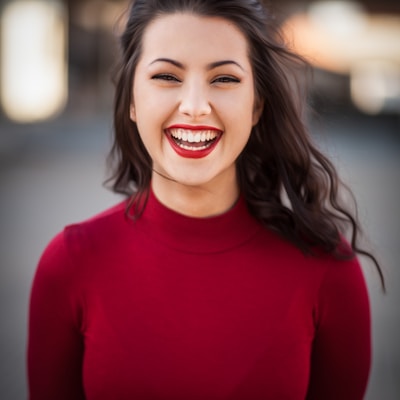
Custom Color Vignette for Creative Looks

Real-Time Before/After Workflow

Build a Complete Color and Tone Workflow

Frequently Asked Questions About Vignette Effect & Photo Vignette Editor
Learn how to add vignette to photo and picture, create transparent vignette overlays, use the vignette filter, and export high-quality results.
How do I add a vignette effect to a photo online?
Upload your image, adjust Size and Strength, pick a vignette color, then download. The preview updates in real time so you can fine-tune before export.
What does vignette Size control?
Size controls how wide the clear center area stays. Higher values keep more of the center untouched and reduce edge coverage.
What does vignette Strength mean?
Strength controls edge blend intensity between the original image and the selected vignette color. 0 means no effect, while 100 means the edge can fully blend to the vignette color.
Can I choose vignette colors besides black?
Yes. You can choose black, white, sepia, or any custom color with the color picker for creative or brand-aligned styling.
What is the difference between vignette and brightness adjustment?
Brightness affects the entire image globally, while vignette mainly changes edge areas and keeps focus in the center. For global exposure changes, use image brightness; for edge framing, use vignette.
Can I combine vignette with contrast editing?
Yes. A common workflow is adjusting contrast first, then applying a vignette as a finishing step to enhance subject focus and depth.
Is this vignette tool private and secure?
Yes. All image processing runs in your browser using Canvas API. Your files do not need to be uploaded for vignette processing.
What formats can I download?
You can export PNG, JPG, or WEBP. PNG is lossless, while JPG and WEBP include adjustable quality settings for smaller file sizes.
Will vignette effect reduce resolution?
No. The tool preserves original pixel dimensions and applies the effect at full resolution.
Is this vignette editor free?
Yes. This vignette photo editor is free to use with no signup, no watermark, and unlimited vignette edits for any photo, picture, or image.
What is camera vignette and lens vignette?
Camera vignette (also called lens vignette or optical vignetting) is natural edge darkening caused by light falloff in a lens. Our tool replicates this photography vignette digitally, giving you full control over the shape and intensity that optical vignetting would produce.
Can I create a transparent vignette overlay PNG?
Yes. Upload a transparent PNG and the vignette overlay is applied to the edges while preserving transparency. Export as PNG to keep the vignette transparent background. You can create white vignette PNG or black vignette overlay PNG for use in video editing or design compositing.
How do I add a picture vignette or portrait vignette?
Upload your picture or portrait, then adjust Size to keep the face area clear and Strength for edge intensity. This creates a natural picture vignette that draws viewers to the subject. For portrait vignette, use a moderate strength (40-60) with black color for classic results.
Can I use this as a vignette photo editor for multiple images?
Yes. This vignette editor processes one image at a time, but since everything runs in your browser there are no limits. Upload, add vignette to image, download, and repeat for as many photos as you need.
Add Vignette Effect Online Free — Start Now
Create cinematic focus, vintage mood, or subtle edge framing in seconds with our free browser-based vignette editor.
Also Try Our Other Image Tools
Explore our collection of free, easy-to-use image editing tools. No signup required, instant results!
Image Inverter
Invert colors for creative photo effects
Color Inverter
Reverse complementary colors in any image
Invert PNG Colors
Invert PNG while preserving transparency
Invert JPG Colors
Create photo negatives from any JPG image
Invert WebP Colors
Invert modern WebP images with alpha support
Invert Color (Hex)
Find the opposite of any hex color instantly
Flip Image
Mirror images horizontally or vertically
Embroidery Pattern Prep
Prepare patterns for tracing and transfers
Darken Image
Adjust brightness to create moody effects
Lighten Image
Brighten photos and enhance visibility
Image Brightness
Adjust photo brightness from -100 to +100
Image Saturation
Saturate or desaturate colors instantly
Split Image
Create grid splits for social media posts
Circle Crop
Create perfect circular images for avatars
Grayscale Image
Convert photos to beautiful grayscale
Black & White Filter
Apply professional B&W photo effects
Blur Image
Add blur effects for privacy or style
Pixelate Image
Create pixel art and mosaic effects
Dither Image
Apply retro dithering with 2-64 color control
Sepia Filter
Add warm vintage sepia tones to photos
Negative Image
Create film-style photo negative effects
Film Negative to Positive
Restore positive photos from scanned film negatives
Dark Mode Image
Adapt screenshots and logos for dark backgrounds
Image Contrast
Adjust and increase photo contrast
Image Resolution Converter
Change image dimensions by exact pixels
Add Noise to Image
Apply grain and film noise with fine control
Posterize Image
Apply posterization effect with level control
Solarize Image
Create partial negative effects by threshold
Duotone Effect
Map shadows and highlights to two colors
Halftone Effect
Create print-style dot pattern images
Hue Changer
Shift image hue from -180° to +180°
Threshold Image
Convert to pure black & white by threshold
Color Swap Image
Replace specific colors with tolerance
Image Color Picker
Pick colors from any image pixel
Sharpen Image
Enhance photo clarity and fix soft focus
Emboss Image
Add raised or engraved relief effects