
Lighten Image Online Free
Lighten image files online and make dark photos brighter in seconds. Lift shadows, fix underexposed portraits, and improve indoor pictures with a focused image lightener. Need one slider for both directions? Try Image Brightness.
Drop your image here to lighten
or click to browse from your computer
Support: JPG, PNG, WEBP (Paste with Ctrl+V)
What Is an Image Lightener?
An image lightener increases brightness to make dark photos easier to see. Use it to brighten portraits, rescue underexposed indoor photos, and lift shadow-heavy images when the picture simply needs more light.
Precise Brightness Control
Lighten image with exact control from 0-100%. The tool is optimized for brightening workflows instead of asking you to switch between positive and negative values.
Enhance Underexposed Photos
Brighten pictures taken in low light conditions. This page is best for portraits, room photos, product shots, and other images where the main problem is lack of light.
Real-Time Preview
See changes instantly as you lighten image online. Preview each brightness adjustment before downloading the final image.
Privacy Protected
Brighten photo online with complete privacy. All processing happens in your browser, so we never upload or store your images.
High Quality Output
Lighten images while preserving original dimensions. Download a brighter version for social posts, product photos, documents, or design work.
Works Everywhere
Lighten image files on desktop, tablet, and mobile. No app installation is required.
Why Use Our Image Lightener?
This tool is best when the whole image is too dark and you want a quick visibility improvement. Want deeper shadows instead? Try our darken image tool for moody, dramatic results, or use the main image brightness editor when you need both lighter and darker adjustments.
- ✓Lighten image with precise 0-100% brightness control
- ✓Real-time preview while you brighten photo
- ✓No watermarks on your brightened pictures
- ✓Support for JPG, PNG, WEBP to lighten images online
- ✓Free photo lightener with unlimited usage
- ✓Clear brightening-only workflow for dark photos and shadow recovery
Precise Brightness Enhancement for Perfect Lighting
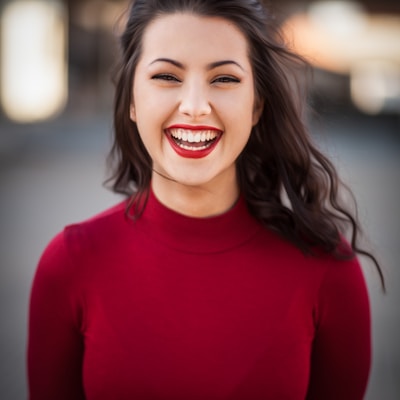

Perfect for Enhancing Dark Photos


Real-Time Preview & Easy Controls


Professional Results for Any Project
- E-commerce product photography
- Real estate and interior photos
- Portrait and headshot enhancement
- Social media content optimization
- Document and text clarity improvement


Lighten Image Online FAQ
Learn how to lighten an image online, make a photo brighter, and choose natural-looking brightness settings.
How do I lighten an image online?
Upload your image, increase the lightening amount, and preview the brighter result instantly. Start with a small adjustment, then increase it until the subject is visible without washing out highlights.
What is the best amount to brighten a dark photo?
Start with a modest increase such as 10 to 30 points. Larger boosts can flatten highlights, so smaller adjustments usually look more natural for portraits, product photos, and indoor images.
When should I use lighten image instead of image brightness?
Use lighten image when the task is clearly to make a dark image brighter. If you want one editor that can both brighten and darken, use the image brightness tool instead.
Can I make an image lighter without losing quality?
The tool keeps the original image dimensions and applies the brightness change in your browser. Very strong lightening can reveal noise or flatten highlights, so use the smallest amount that fixes the image.
How secure is it to brighten a photo online with this tool?
Very secure. All brightening happens in your browser, so we do not upload or store your images when you use the tool.
Can I use lightened images for commercial purposes?
Yes. The edited image is yours to use. The tool does not add watermarks, claim ownership, or upload your files to a server.
Lighten Image Online Free
Make dark photos brighter online with a focused image lightener and instant browser-based preview.
Also Try Our Other Image Tools
Explore our collection of free, easy-to-use image editing tools. No signup required, instant results!
Image Inverter
Invert colors for creative photo effects
Color Inverter
Reverse complementary colors in any image
Invert PNG Colors
Invert PNG while preserving transparency
Invert JPG Colors
Create photo negatives from any JPG image
Invert WebP Colors
Invert modern WebP images with alpha support
Invert Color (Hex)
Find the opposite of any hex color instantly
Flip Image
Mirror images horizontally or vertically
Embroidery Pattern Prep
Prepare patterns for tracing and transfers
Darken Image
Adjust brightness to create moody effects
Image Brightness
Adjust photo brightness from -100 to +100
Image Saturation
Saturate or desaturate colors instantly
Split Image
Create grid splits for social media posts
Circle Crop
Create perfect circular images for avatars
Grayscale Image
Convert photos to beautiful grayscale
Black & White Filter
Apply professional B&W photo effects
Blur Image
Add blur effects for privacy or style
Pixelate Image
Create pixel art and mosaic effects
Dither Image
Apply retro dithering with 2-64 color control
Sepia Filter
Add warm vintage sepia tones to photos
Negative Image
Create film-style photo negative effects
Film Negative to Positive
Restore positive photos from scanned film negatives
Dark Mode Image
Adapt screenshots and logos for dark backgrounds
Image Contrast
Adjust and increase photo contrast
Vignette Effect
Add edge shading with custom color control
Image Resolution Converter
Change image dimensions by exact pixels
Add Noise to Image
Apply grain and film noise with fine control
Posterize Image
Apply posterization effect with level control
Solarize Image
Create partial negative effects by threshold
Duotone Effect
Map shadows and highlights to two colors
Halftone Effect
Create print-style dot pattern images
Hue Changer
Shift image hue from -180° to +180°
Threshold Image
Convert to pure black & white by threshold
Color Swap Image
Replace specific colors with tolerance
Image Color Picker
Pick colors from any image pixel
Sharpen Image
Enhance photo clarity and fix soft focus
Emboss Image
Add raised or engraved relief effects