
Color Swapper — Swap Colors in Image Online
Use our free color swap image tool to replace color in image files with precision. Pick a source color, set tolerance, keep natural shades, or replace to transparent — all directly in your browser.
Drop your image here to swap specific colors
or click to browse from your computer
Support: JPG, PNG, WEBP (Paste with Ctrl+V)
Color Swapper - Replace Specific Colors in Image Online
Our color swap image tool lets you replace color in image precisely. Pick a source color, choose a target color, and adjust tolerance to control how many similar shades get replaced. Ideal for logo recoloring, product variants, and quick background color cleanup.
Pick Exact Source Color
Click the eyedropper and sample any pixel in your image. You can also enter hex manually for exact control. Great for image color swapper workflows where precision matters.
Tolerance for Similar Shades
Increase tolerance to include nearby shades, shadows, and highlights. Lower tolerance for strict matching. This makes it easy to swap colors in image without affecting unrelated regions.
Preview Matched Pixels
Enable mask preview to see exactly which pixels will be replaced before export. This reduces trial-and-error when tuning tolerance on photos and gradients.
Preserve Shadows and Highlights
Keep natural lighting with Preserve Shades. Unlike a global color inverter, this tool only changes selected colors.
Private Browser Processing
All color replacement happens locally in your browser. We do not upload or store images. Combine with invert PNG colorsor hue changer for advanced workflows.
Transparent PNG Export
Replace selected color with transparency and export PNG instantly. Useful for quick background cleanup before final edits in other tools.
Why Use Our Color Swap Image Tool?
- ✓Selective replacement instead of whole-image filter processing
- ✓Eyedropper, hex input, and tolerance controls in one workflow
- ✓Preview matched pixels before applying changes
- ✓Replace color to transparent for quick background cleanup
- ✓Works with JPG, PNG, and WEBP directly in your browser
- ✓Use together with Image Inverter for full color workflows
Replace Specific Colors with Precision

Tolerance for Real-World Photos
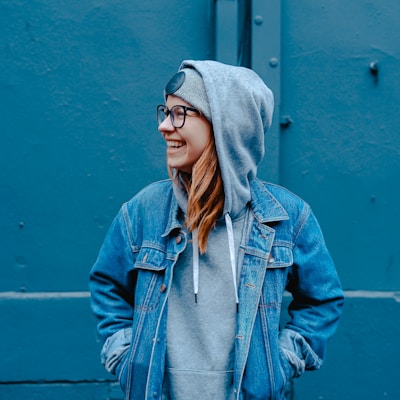
Preserve Shades and Preview Mask
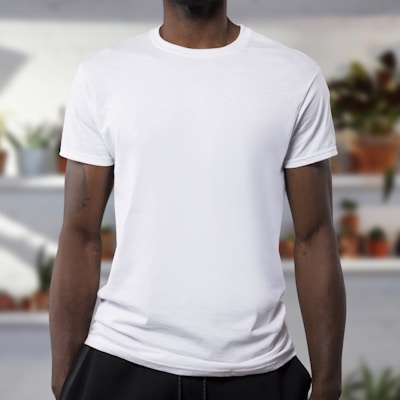
Quick Transparent Background Cleanup

Frequently Asked Questions About Color Swapper
Learn how to swap colors in image files, set tolerance, preserve shading, and export transparent PNG outputs.
How do I swap one specific color in an image?
Upload your image, pick the source color with the eyedropper (or enter hex), choose your target color, then adjust tolerance until only the intended area is matched. Download the PNG result when it looks right.
What does tolerance mean in color replacement?
Tolerance controls how similar a pixel must be to your source color. Low tolerance changes near-exact matches only. Higher tolerance includes nearby shades, shadows, and highlights of that color.
What is Preserve Shades and when should I enable it?
Preserve Shades keeps natural light and shadow variation when swapping color. It usually gives more realistic results on photos, fabrics, and gradients. Disable it when you want a flat, uniform replacement color.
Can I replace a color with transparent background?
Yes. Enable the transparent target option to turn matched pixels fully transparent. This is useful for quickly removing simple solid backgrounds before further editing.
How is this different from hue shift or color inversion?
Hue shift and color inversion affect the whole image. This tool only replaces the selected color range, leaving unrelated colors untouched. For global edits, use our hue changer or color inverter tools.
Is this color swap tool private?
Yes. All processing runs locally in your browser with Canvas API. Your images are not uploaded to our servers, so your edits remain private on your device.
Swap Colors in Image Online Free — Start Now
Use our color swapper to replace specific colors with precision controls. Fast, private, and free for unlimited edits.
Also Try Our Other Image Tools
Explore our collection of free, easy-to-use image editing tools. No signup required, instant results!
Image Inverter
Invert colors for creative photo effects
Color Inverter
Reverse complementary colors in any image
Invert PNG Colors
Invert PNG while preserving transparency
Invert JPG Colors
Create photo negatives from any JPG image
Invert WebP Colors
Invert modern WebP images with alpha support
Invert Color (Hex)
Find the opposite of any hex color instantly
Flip Image
Mirror images horizontally or vertically
Embroidery Pattern Prep
Prepare patterns for tracing and transfers
Darken Image
Adjust brightness to create moody effects
Lighten Image
Brighten photos and enhance visibility
Image Brightness
Adjust photo brightness from -100 to +100
Image Saturation
Saturate or desaturate colors instantly
Split Image
Create grid splits for social media posts
Circle Crop
Create perfect circular images for avatars
Grayscale Image
Convert photos to beautiful grayscale
Black & White Filter
Apply professional B&W photo effects
Blur Image
Add blur effects for privacy or style
Pixelate Image
Create pixel art and mosaic effects
Dither Image
Apply retro dithering with 2-64 color control
Sepia Filter
Add warm vintage sepia tones to photos
Negative Image
Create film-style photo negative effects
Film Negative to Positive
Restore positive photos from scanned film negatives
Dark Mode Image
Adapt screenshots and logos for dark backgrounds
Image Contrast
Adjust and increase photo contrast
Vignette Effect
Add edge shading with custom color control
Image Resolution Converter
Change image dimensions by exact pixels
Add Noise to Image
Apply grain and film noise with fine control
Posterize Image
Apply posterization effect with level control
Solarize Image
Create partial negative effects by threshold
Duotone Effect
Map shadows and highlights to two colors
Halftone Effect
Create print-style dot pattern images
Hue Changer
Shift image hue from -180° to +180°
Threshold Image
Convert to pure black & white by threshold
Image Color Picker
Pick colors from any image pixel
Sharpen Image
Enhance photo clarity and fix soft focus
Emboss Image
Add raised or engraved relief effects