
Image Brightness Editor Online Free
Use our free image brightness editor to adjust photo brightness instantly. Increase brightness for dark photos or reduce brightness for overexposed images with one simple slider. This is the parent brightness tool when you want both directions on the same page instead of a brighten-only or darken-only workflow.
Drop your image here to adjust brightness
or click to browse from your computer
Support: JPG, PNG, WEBP (Paste with Ctrl+V)
What Is an Image Brightness Editor?
Our image brightness tool lets you adjust photo brightness in both directions. Make dark photos brighter or reduce overly bright images from one slider. It is the broad parent page for users who want one place to handle both exposure directions. Use the focused lighten or darken pages when you only need one direction.
One Slider, Two Directions
Adjust brightness from -100 to +100. Move left to darken, move right to brighten. Perfect when you need both controls in one workflow instead of separate pages.
Fix Underexposed Photos
Increase brightness to recover visibility in dim images. Need a dedicated brightening workflow? Try our lighten image page.
Tame Overexposed Areas
Lower brightness to create a darker mood or reduce harsh highlights. For dark-only edits, use our darken image tool.
Private by Default
Every brightness edit runs in your browser. Your files are not uploaded for processing, so your photos stay on your device.
High Quality Downloads
Export your brightness-adjusted image instantly with preserved detail and resolution. No watermark, no signup.
Desktop and Mobile Ready
The brightness editor works on desktop, tablet, and mobile browsers. Upload, preview, and download from anywhere.
Why Use This Brightness Tool?
- ✓Adjust image brightness from -100 to +100 in real time
- ✓Single parent page for both brighten and darken workflows
- ✓No watermarks on your exported photos
- ✓Supports JPG, PNG, and WEBP
- ✓Need extra punch after brightness edits? Try image contrast
One Brightness Slider for Brighter or Darker Photos
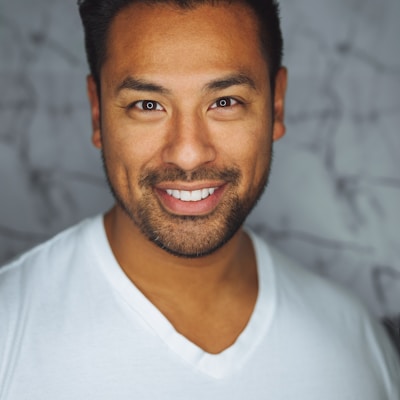
Fix Underexposed and Overexposed Photos

Fast Real-Time Preview, No Guesswork

Great for Social, Product, and Everyday Editing
- Quick social media cleanup for better visibility
- Product photos that need clearer lighting
- Portrait touch-ups for balanced exposure
- Document screenshots that look too dim
- Creative dark/light mood exploration
Image Brightness Editor FAQ
Learn how to adjust image brightness online, brighten dark photos, or darken overexposed pictures.
How do I adjust image brightness online?
Upload your image, then move the brightness slider from -100 to +100. Negative values darken the image, positive values brighten it. This page is the two-way brightness editor for users who want both controls in one place.
What is the best brightness value for photos?
For most images, start with small adjustments between +10 and +30 (brighter) or -10 and -30 (darker). Large changes can wash out highlights or crush shadows, so gradual edits usually look more natural.
Can I both brighten and darken with this one tool?
Yes. This brightness editor supports both directions in one slider. If you only need a dedicated one-way workflow, use the lighten image or darken image pages.
What image formats are supported?
Our brightness tool supports JPG, PNG, and WEBP input. Processing happens in your browser and exports as PNG with high visual quality.
Is this image brightness tool free?
Yes. You can adjust photo brightness online for free with no signup, no watermark, and no hidden fee.
Are my photos uploaded to your server?
No. Brightness adjustments are processed locally in your browser. Your images are not uploaded for processing.
Adjust Image Brightness Online Free
Use our free image brightness editor to make photos brighter or darker in seconds. One slider, instant preview, and high-quality output.
Also Try Our Other Image Tools
Explore our collection of free, easy-to-use image editing tools. No signup required, instant results!
Image Inverter
Invert colors for creative photo effects
Color Inverter
Reverse complementary colors in any image
Invert PNG Colors
Invert PNG while preserving transparency
Invert JPG Colors
Create photo negatives from any JPG image
Invert WebP Colors
Invert modern WebP images with alpha support
Invert Color (Hex)
Find the opposite of any hex color instantly
Flip Image
Mirror images horizontally or vertically
Embroidery Pattern Prep
Prepare patterns for tracing and transfers
Darken Image
Adjust brightness to create moody effects
Lighten Image
Brighten photos and enhance visibility
Image Saturation
Saturate or desaturate colors instantly
Split Image
Create grid splits for social media posts
Circle Crop
Create perfect circular images for avatars
Grayscale Image
Convert photos to beautiful grayscale
Black & White Filter
Apply professional B&W photo effects
Blur Image
Add blur effects for privacy or style
Pixelate Image
Create pixel art and mosaic effects
Dither Image
Apply retro dithering with 2-64 color control
Sepia Filter
Add warm vintage sepia tones to photos
Negative Image
Create film-style photo negative effects
Film Negative to Positive
Restore positive photos from scanned film negatives
Dark Mode Image
Adapt screenshots and logos for dark backgrounds
Image Contrast
Adjust and increase photo contrast
Vignette Effect
Add edge shading with custom color control
Image Resolution Converter
Change image dimensions by exact pixels
Add Noise to Image
Apply grain and film noise with fine control
Posterize Image
Apply posterization effect with level control
Solarize Image
Create partial negative effects by threshold
Duotone Effect
Map shadows and highlights to two colors
Halftone Effect
Create print-style dot pattern images
Hue Changer
Shift image hue from -180° to +180°
Threshold Image
Convert to pure black & white by threshold
Color Swap Image
Replace specific colors with tolerance
Image Color Picker
Pick colors from any image pixel
Sharpen Image
Enhance photo clarity and fix soft focus
Emboss Image
Add raised or engraved relief effects